
Pocket Pokies Login: Sign In, Reset a Password, Unlock an Account
This page is for getting back into your account. It covers the ordinary sign-in on desktop and phone, then the five things that stop most people: a rejected password, an "incorrect email or password" message, a locked account, a session that ended on its own, and a reset email that never arrived. Go to the heading that matches your case. Where the operator publishes nothing, this page says so instead of guessing.

How to sign in to Pocket Pokies
Sign-in is two fields and one button: no username, no account number, no code by text.
- Open the casino site. The Log In button sits top right in the header, next to Sign Up; on a phone, beside the menu icon.
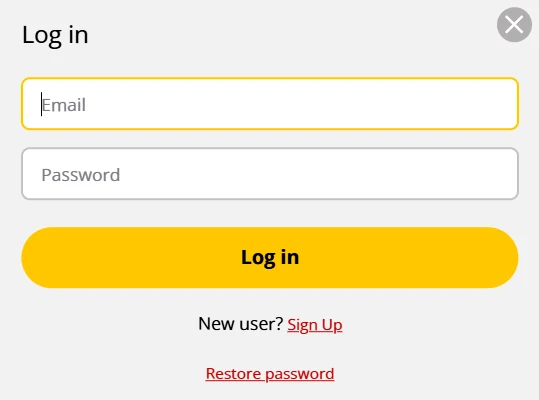
- Tap Log In. A small window opens, headed "Log in", with an Email field and a Password field.
- Type the address you signed up with, not another mailbox you own.
- Type your password. It is case sensitive.
- Press Log in. You return to the page you were on, with your balance in AUD in the header.
Two links sit under it: "New user? Sign Up" and "Restore password".
The account opens whether or not you have uploaded identification. Verification runs off the email sent after registration: follow its link and upload a driver licence or passport. Do it before you request a withdrawal, because Pocket Pokies publishes no turnaround for that check.
Signing in to Pocket Pokies on a phone or tablet
There is no native app. The operator states that app-store rules block most gambling binaries and that the site stays web-first, so the phone route is a browser: Safari on iPhone, Chrome on Android. Same header, same Log In button, same account.
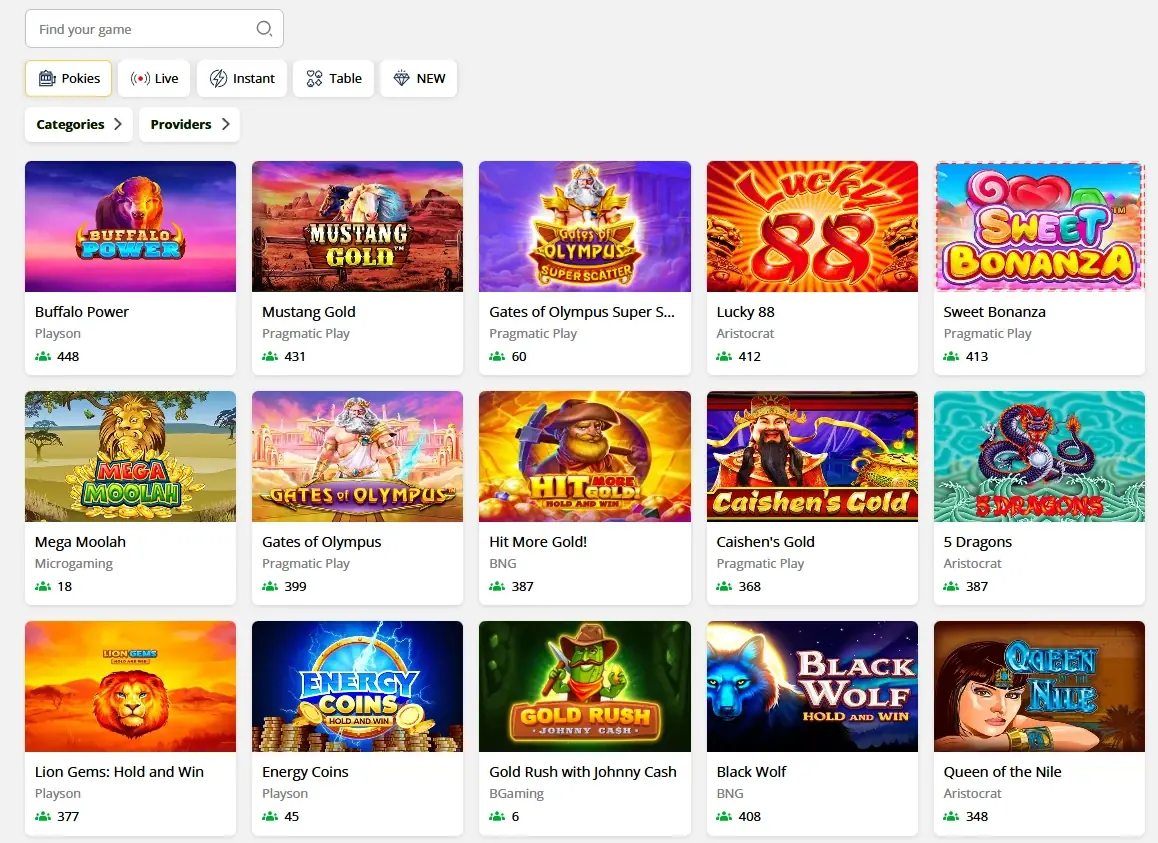
What loads after sign-in is the full lobby, not a trimmed version: the same category tabs (Pokies, Live, Instant, Table and NEW), the same search box, the same balance. For faster access, add the site to your home screen from the Safari share menu or the Chrome browser menu. The shortcut opens full screen and keeps the session it had in the tab.
One warning. Anything sold as a "Pocket Pokies app" in the App Store or Google Play, and any APK on a download site, does not come from this operator. Do not type your email and password into it.
When a Pocket Pokies login fails
Find the heading that matches your screen. Change one thing at a time. Most clear in under two minutes without involving anyone.
"Incorrect email or password"
This nearly always means a typing or autofill problem, not a lost account. Work down the list in order.
- Check Caps Lock. On a phone, check the keyboard has not capitalised the first character for you.
- Type the password into the Email field to read it, then cut and paste it across.
- Clear both fields by hand. Autofill often supplies an old password, or a login saved for a different site.
- If you pasted the password, look for a space picked up at the start or the end.
- Confirm the address: whichever mailbox holds the registration email is the account address.
- Only after all of that, reset the password.
Stop after three or four failed attempts. Repeated tries trip a security lock, and a lock takes longer to clear than a reset.
You have forgotten your password
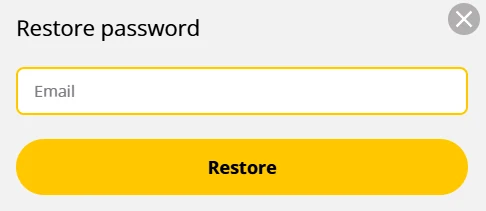
- Open the Log In window and click Restore password at the bottom.
- A single-field box appears. Enter the account email address.
- Press Restore.
- Open the email that arrives and follow its link.
- Set a new password, then sign in with it. Make it unique to this account.
The reset email has not arrived
Expect it in two to five minutes. That is a realistic window for this kind of mail, not a promise: the operator states no delivery time.
| Time since you pressed Restore | What to do |
|---|---|
| 0 to 5 minutes | Nothing. Normal delivery time. |
| After 5 minutes | Check Spam, Junk, Promotions and Updates. Search for "pocketpokies" instead of scrolling. |
| After 10 minutes | Request it once more and check the address you typed. If two arrive, use the newest: the earlier link is dead. |
| After 30 minutes | Contact support with the address you used and the time you asked. |
A work or school mailbox may be filtering it. A personal address is the quicker test.
Your account is locked
A lock is a routine security measure, not a punishment, and your balance stays where it is. Accounts are usually locked after a run of failed sign-ins, after a login that looks unusual for the account, or while identity documents are outstanding.
Pocket Pokies does not publish how many attempts trigger a lock, how long one lasts, or how fast it is reviewed. Pages quoting those numbers are guessing. Do this instead.
- Stop trying to sign in. Further attempts add nothing.
- Run the Restore password steps once. A lock caused only by failed attempts often clears with a fresh password.
- Still shut out? Open live chat from your usual device and give the registered email plus the name on the account.
- Have a driver licence or passport photo ready. Those are the two documents verification accepts, and an unfinished check is a common cause of a hold.
- Ask in writing what triggered the lock and what clears it. Keep the reply.
Do not open a second account to get around it. Duplicates create a far bigger problem than the lock, withdrawals included.
You were signed out without doing it yourself
Landing back in the logged-out lobby is normal, not evidence that someone has been in your account. The usual causes are an inactivity timeout, a closed tab, cleared cookies, private browsing, a network switch, or a sign-in on a second device. Changing your password also ends other sessions by design. The operator does not publish how long a session survives without activity, so sign in again and carry on.
Two cases deserve action. If a reset email arrives that you did not request, or your balance does not match what you left, change the password at once and contact support the same day. On a shared computer, sign out deliberately and decline the browser's offer to save the password.
Password reset and the lock cleared? The account picks up where it left off, balance and all.
Log InWhat you can fix yourself, and when to write to support
| Situation | Fix it yourself | Needs support |
|---|---|---|
| Wrong password, autofill, Caps Lock | Yes, retype both fields | No |
| Forgotten password | Yes, Restore password | Only if the reset link fails |
| Reset email missing | Yes, spam check and one resend | After 30 minutes with nothing |
| Locked account | Try one password reset | Yes, if it stays locked |
| Unexpected sign-out | Yes, sign in again | Only with a reset email you did not request |
| Documents rejected | No | Yes, ask which document failed and why |
| Wrong email on the account | No | Yes, staff handle address changes |
Pocket Pokies support runs through the chat widget in the corner of the site and the operator's address, [email protected]. The independent review at casino.guru calls that chat 24/7 in English; the operator names chat as a channel without stating hours, so the two do not line up.
Neither channel carries a published response time. Realistically a staffed chat answers in minutes, while email runs in hours. Ask the agent to confirm a timeframe in writing whenever money is involved, and open the chat with your registered email and a screenshot of the error. Never send a password or a full card number in a chat.
How the sign-in is protected
The operator states that it encrypts traffic with 256-bit SSL, refreshes its TLS certificates every 90 days, checks identity against a driver licence or passport, and keeps the lobby closed to under-18s. Those are its own claims, not an audited result. Independent reviewers dispute other parts of that position, licensing included, which our Pocket Pokies Casino overview sets out in full.
The rest sits on your side of the screen, and that half decides most account takeovers:
- Use a password unique to this account, kept in a password manager.
- Never share the account, and keep its email address current: every reset runs through that inbox.
- Treat any message asking for your password as fake. Support has no reason to ask.
What happens to the details you type into that form is covered in our privacy policy.
Before you sign back in
Set your limits before the balance moves, not after. Under Account and Limits you can cap deposits over a day, a week or a month, switch on a reminder that flags how long a session has run, and take a break lasting anywhere from one day to five years. None of it comes off early once set, and that is what makes it worth using. Our responsible gambling page lists each tool and the free Australian services.
Signing in to claim something you saw advertised elsewhere? Check what the operator actually publishes on our no deposit bonus page. Pocket Pokies accounts are 18+ only.
Live chat sits in the corner of the operator's site, and the written channel is [email protected]. Neither carries a published response time.
Log InSign-in is an email and a password, the restore link sits under the form, and a lock usually clears with one reset. Once you are through, the welcome package waits at AU$25 a tier with 45x wagering on the bonus.